Features
Calendar and weather
Your next event, today's conditions, and a heads-up before rain.
Calendar
The Calendar widget, in the Nook, shows what’s up next: the next event in full, with “in 12m” or “until 11:00”, its times and call service, and Open in Calendar. The rest of the day runs underneath. After the day’s last event, it shows tomorrow’s first.
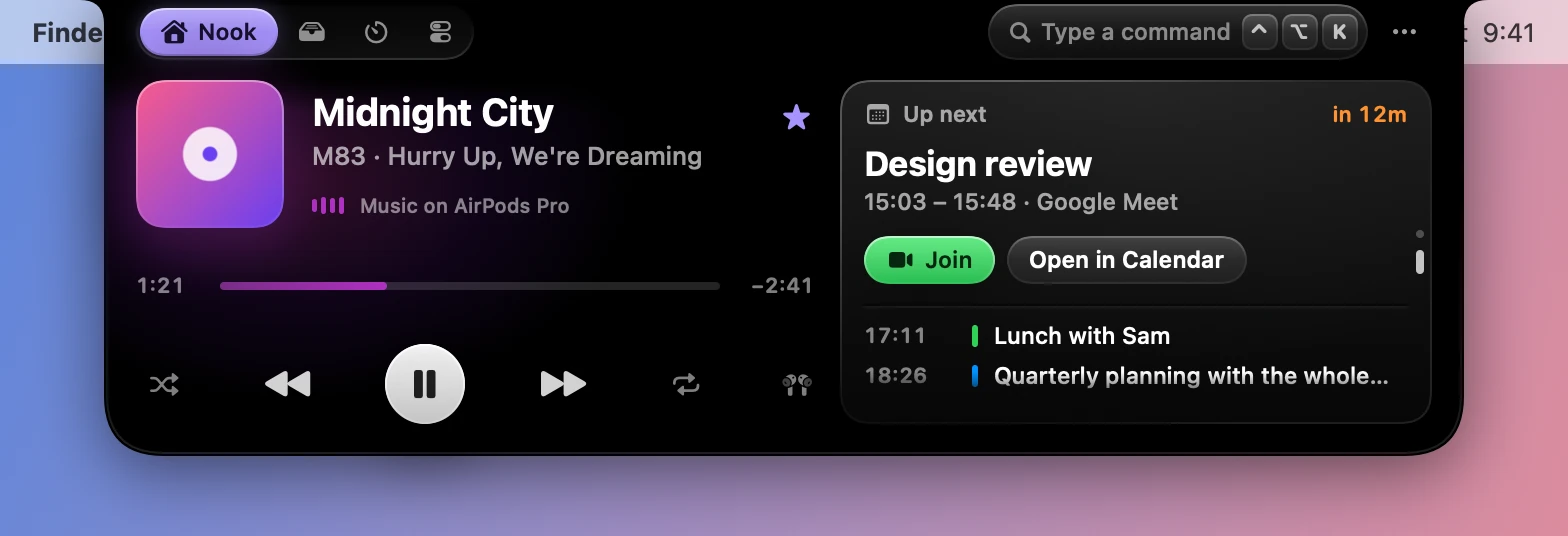
Join appears for Zoom, Meet, Teams, Webex, FaceTime, Whereby, GoToMeeting and Amazon Chime links.
Five minutes before an event, a notice shows in the closed notch. Within 15 minutes of one, the stack in the Nook turns to the calendar by itself, if the calendar is one of your two widgets.

Turn off Show all-day events in Settings›Nook & Widgets›Calendar to leave them out. The widget needs the Calendar permission.
Weather
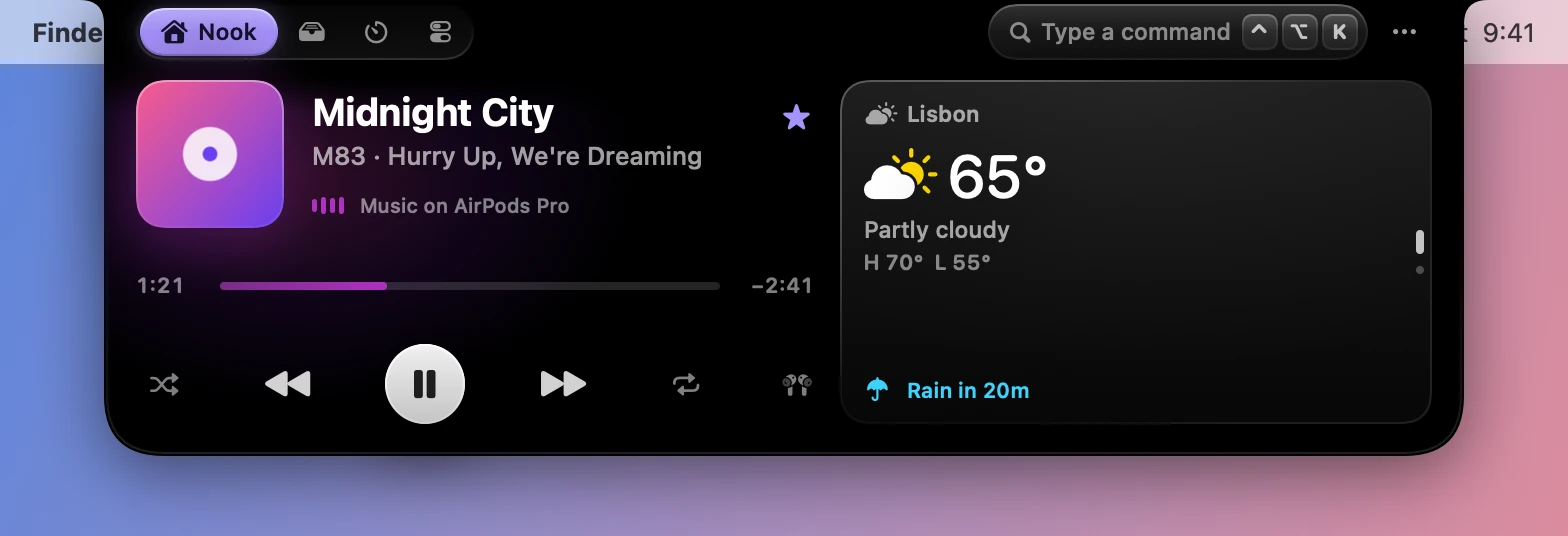
The Weather widget shows current conditions and today’s high and low, from Open-Meteo, which needs no account or key.
Set it up in Settings›Nook & Widgets›Weather:
| Setting | What it does | Starts as |
|---|---|---|
| City | Search for a city | None |
| Use my location | Uses where your Mac is instead. It needs the Location permission | Off |
| Temperature | Like the system, Celsius or Fahrenheit | Like the system |
| Rain alerts | A heads-up in the closed notch when rain is about to start | On |
Rain alerts
When rain is about to start, a heads-up appears in the closed notch, and the stack turns to the weather if that’s one of your two widgets. The alert comes from Open-Meteo’s 15-minute forecast where there is one, and the hourly forecast elsewhere.