Automate
The dynotch command
Drive the notch from the shell.
dynotch is a small script that wraps dynotch:// links, and the app carries a copy. Link it onto your PATH to use it anywhere:
sudo ln -s /Applications/Dynotch.app/Contents/Resources/dynotch /usr/local/bin/dynotchWhatever app you’re in stays at the front. If Dynotch isn’t running, the command starts it, and runs once it’s up.
notify
Shows a notice in the closed notch.
dynotch notify "Done" --detail "make test · 2m 14s" --symbol checkmark.circle.fill --tint green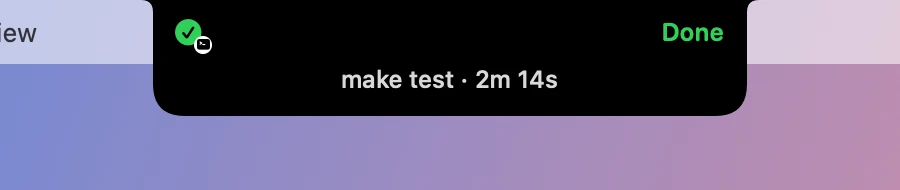
| Option | What it does |
|---|---|
--detail TEXT |
A second line, on the row underneath |
--symbol NAME |
An SF Symbol. Without one, or with one that doesn’t exist, it’s a bell |
--tint COLOR |
red, orange, yellow, green, mint, teal, cyan, blue, indigo, purple, pink, white or gray, or a hex value like #FF6B5C |
--seconds N |
How long it stays, from 1 to 30. It’s 4 by default |
Over 18 characters, the text moves to the row underneath, or with --detail it’s cut short. The row shows one line. The notice carries a small terminal badge, so it can’t pass for one of Dynotch’s own.
open
Opens the notch on a tab: home, tray, focus or stats, which is the Control tab.
dynotch open trayclose
Closes the notch.
dynotch closetimer
Controls the focus timer: start, pause, toggle, reset or skip. With nothing after it, it’s toggle.
dynotch timer starttray
Adds files to the Tray, and opens it with --show.
dynotch tray --show report.pdfIt takes up to 20 files at a time. The items point at the files where they are, never copies. Nothing under ~/Library is taken, and the notch says what a script added.
profile
Switches to a saved profile by name. The notch says which, or that there’s no such profile.
dynotch profile Workcapture
Freezes the screen to capture a region, like Control Option S.
dynotch capture