Make it yours
Profiles
Saved setups such as Work, Home and Presenting.
A profile keeps what the notch shows and how it opens: tabs, widgets, live activities (and which apps’ notifications peek), size, theme and displays. Hover shows stays as it is across profiles. The profile that’s on keeps the changes you make.
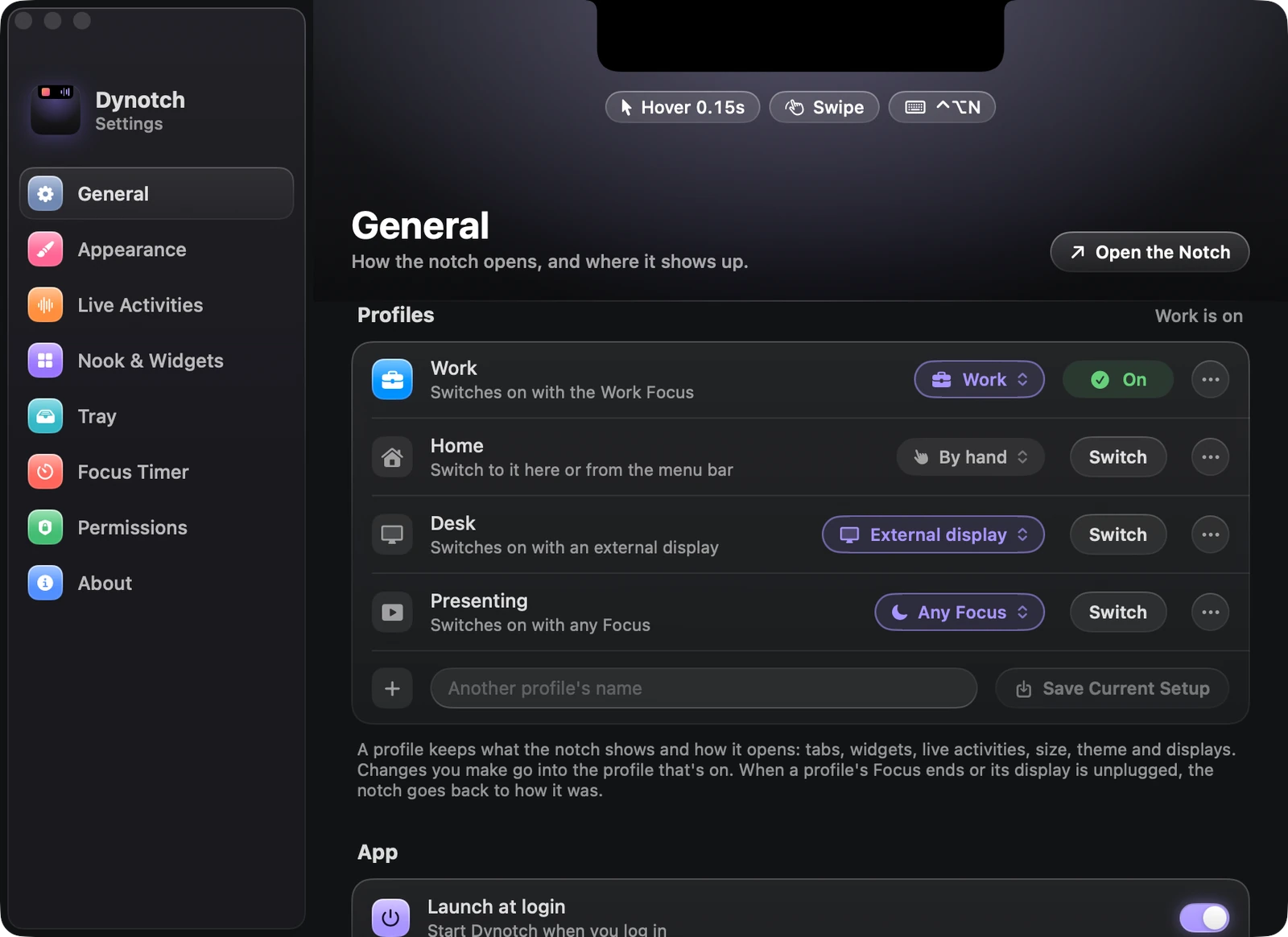
Making one
Set the notch up the way you want it. Then, in Settings›General›Profiles, type a name and click Save Current Setup.
Switching
- The Profiles menu in the menu bar menu
- The ··· menu in the open notch’s header
- Settings›General›Profiles
Workorprofile Workin the command fielddynotch profile Workfrom a script
From the command field or a script, the notch says which profile it switched to, or that there’s no such profile.
Switching by itself
A profile can switch on by itself:
| Rule | It switches on when |
|---|---|
| By hand | Only when you say |
| A Focus | That Focus turns on |
| Any Focus | Any Focus turns on |
| External display | An external display connects |
When that Focus ends or the display goes, the notch goes back to how it was, unless you switched profiles by hand in between.