Features
Capture
Freeze the screen, select a region, mark it up, then copy, save or pin it.
Press Control Option S, choose Capture Screen in the menu bar menu, click the Control tab’s Capture tile, or run dynotch capture. Every display freezes under a dimmed overlay, like Flameshot.
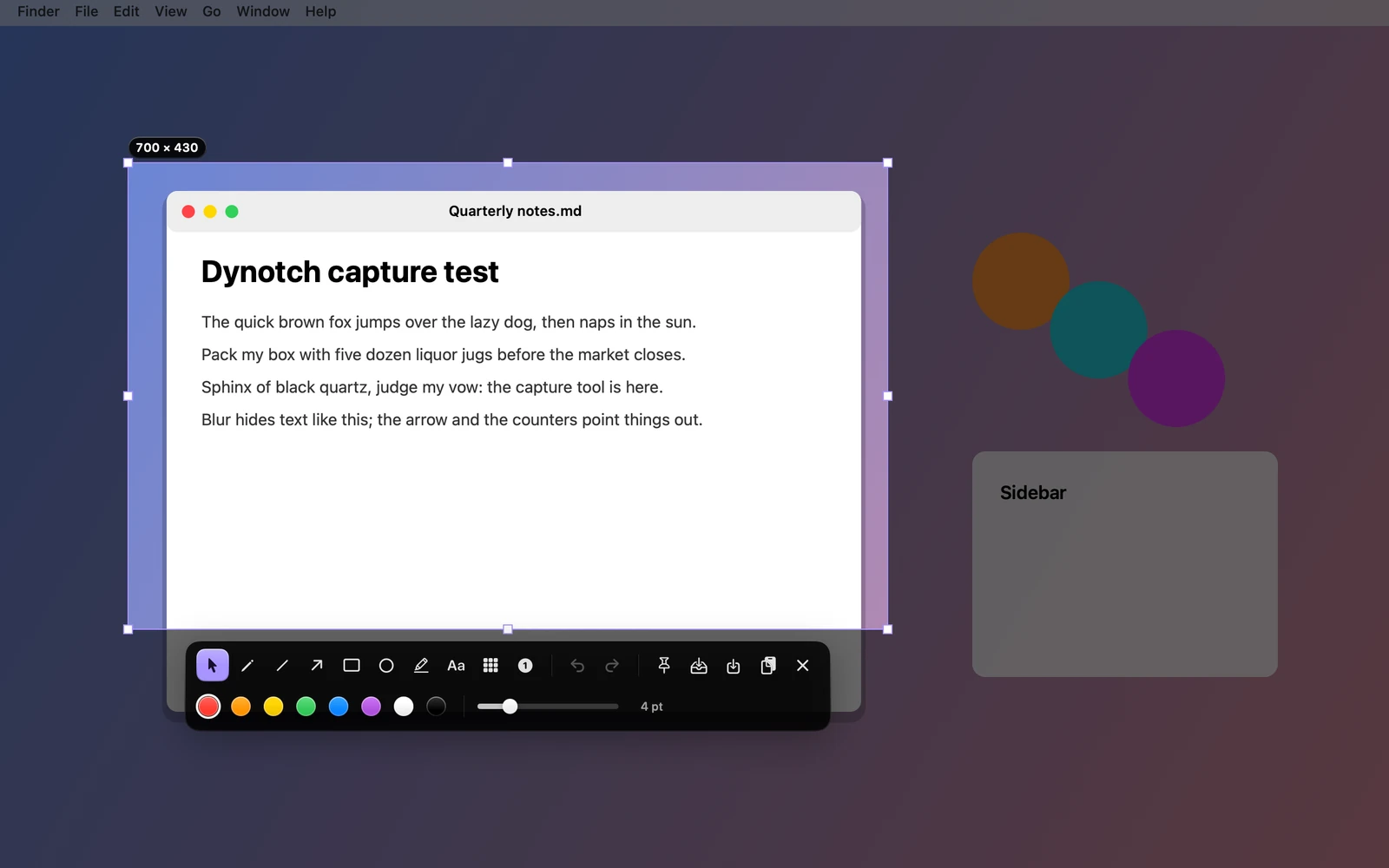
Selecting a region
Drag out a region, or click for the whole display. Drag inside it to move it, or drag one of its eight handles to resize it. Its size shows beside it.
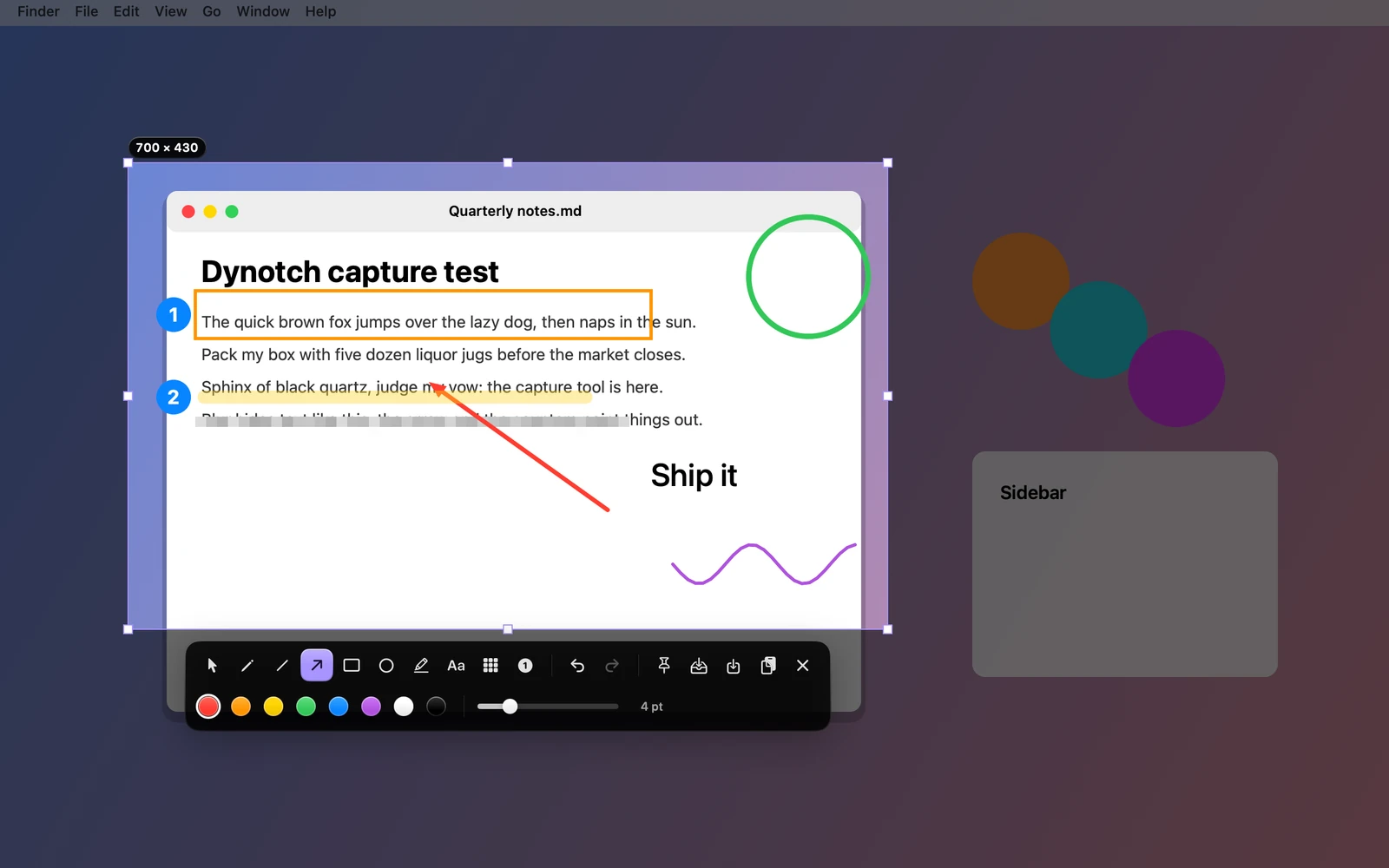
Marking it up
A toolbar appears under the selection. Each tool has a key:
| Tool | Key | What it does |
|---|---|---|
| Pencil | P | Draws freehand |
| Line | L | Draws a straight line |
| Arrow | A | Draws an arrow |
| Rectangle | R | Draws a rectangle |
| Ellipse | C | Draws an ellipse |
| Marker | M | Draws a wide highlighter stroke |
| Text | T | Click to place, type in place, and Return commits |
| Blur | B | Pixelates what’s under it |
| Counter | N | Places numbered badges |
| Select | S | Goes back to moving the selection |
There are eight colors and a width from 1 to 16 points, which the text’s size follows. Command Z undoes and Shift Command Z redoes.
Finishing
| Action | Key | What it does |
|---|---|---|
| Copy | Command C | Puts a PNG on the clipboard |
| Save | Command S | Writes a PNG into the folder the Screenshot app saves to, named as macOS names its own, so it lands in the Tray too |
| Add to Tray | Does that and opens the Tray | |
| Pin | Floats the capture above every window | |
| Return | Copies, saves or both, as Settings›Tray says under After capture | |
| Esc | Cancels |
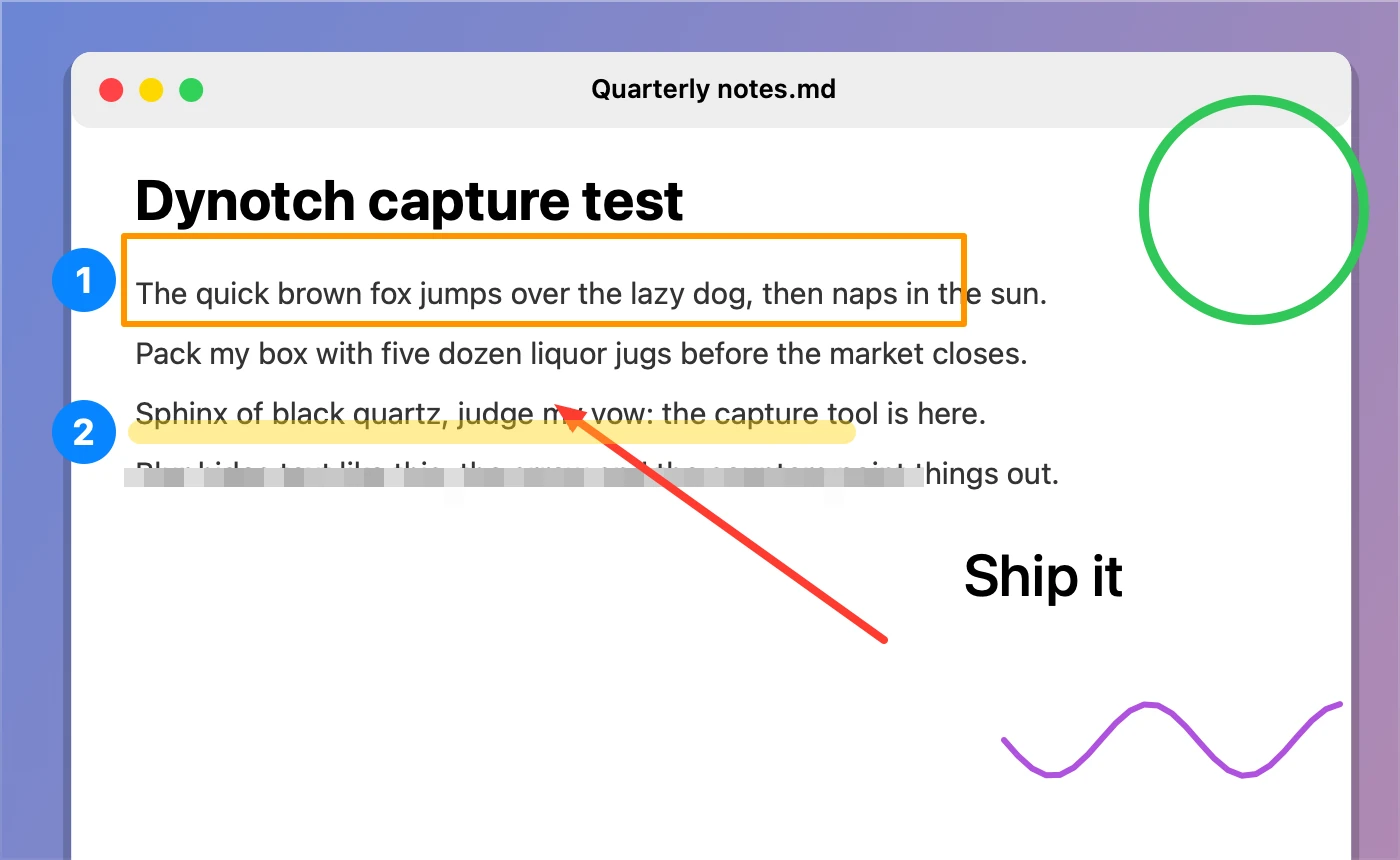
The result is drawn at the display’s scale, pixel for pixel what was on screen.
Pinned captures
A pinned capture stays above every window until you press Esc or Command W, or click its close glyph.
Settings
All in Settings›Tray›Screenshots.
| Setting | What it does | Starts as |
|---|---|---|
| Capture with Control Option S | The keyboard shortcut. The menu bar menu still works without it | On |
| Shutter sound | The Screenshot app’s click when a capture is taken | On |
| After capture | What Return does: Copy, Save or Copy and save | Copy |